Define the use
Confirm the area and intended output, including map creation, content display and device configuration.
YUNJING SHANHE · SOLUTIONS
Explore browser-based map editing and optional smart guide configurations for mobile and on-site displays.
YUNJING SHANHE · ILLUSTRATED MAP STUDIO
Lakes, paths, landmarks and streets.
Arrange map elements, place labels and legends.
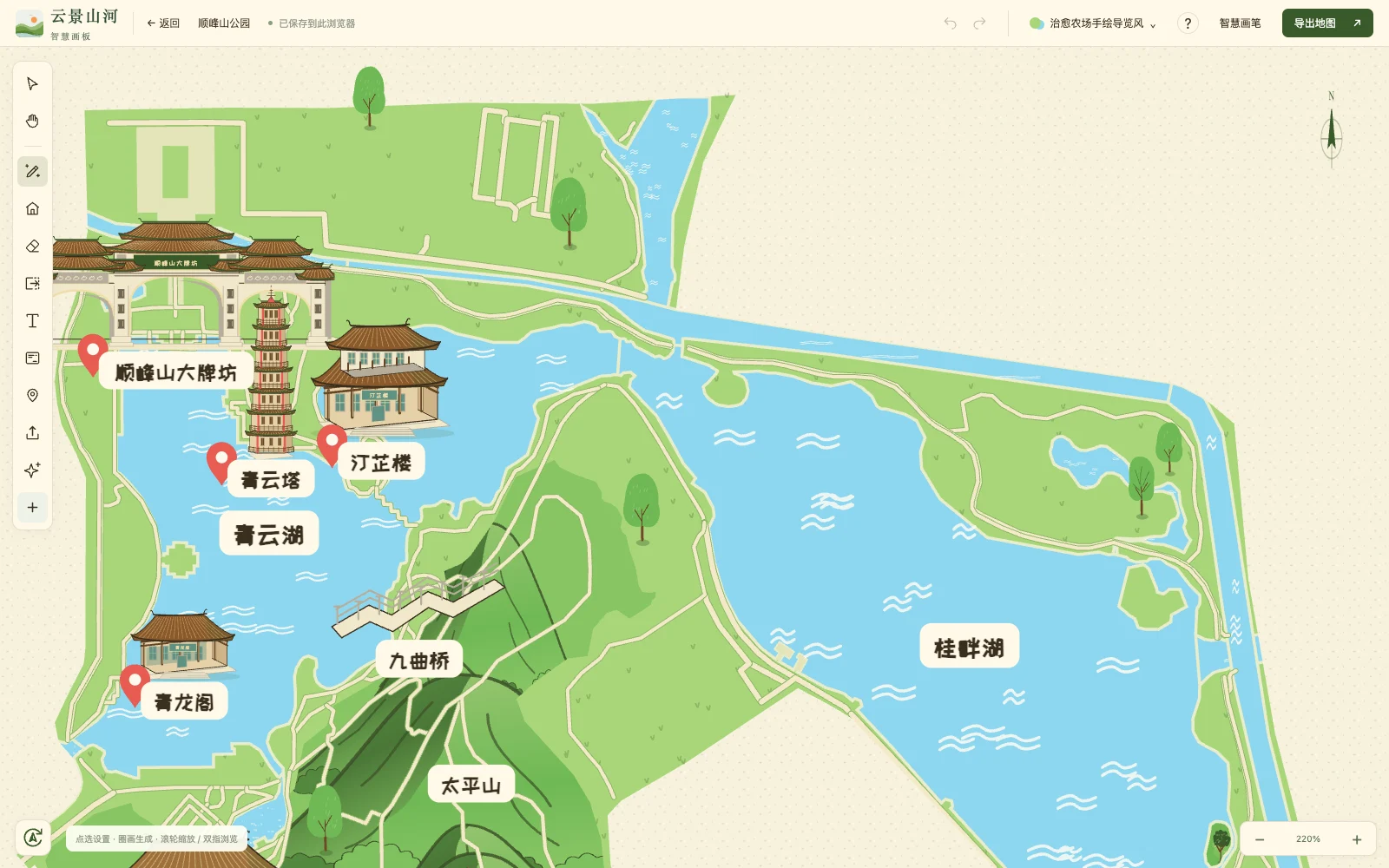 Map studio · View full interface ↗
Edit water, woodland, roads, buildings and place labels. Use map brushes and elements, adjust themes, typography and layouts, and prepare illustrated maps for promotional or guide content.
Maps are artistic illustrations. Check locations, orientation, roads and service details before print or guide use. They are not survey products, live positioning or emergency evacuation instructions. Check export features and usage entitlements in the platform.
RELATED PRODUCT / SMART GUIDE
Mini program, monitoring and interactive displays.
Different interfaces for different tasks.
Mini program guide coming soon
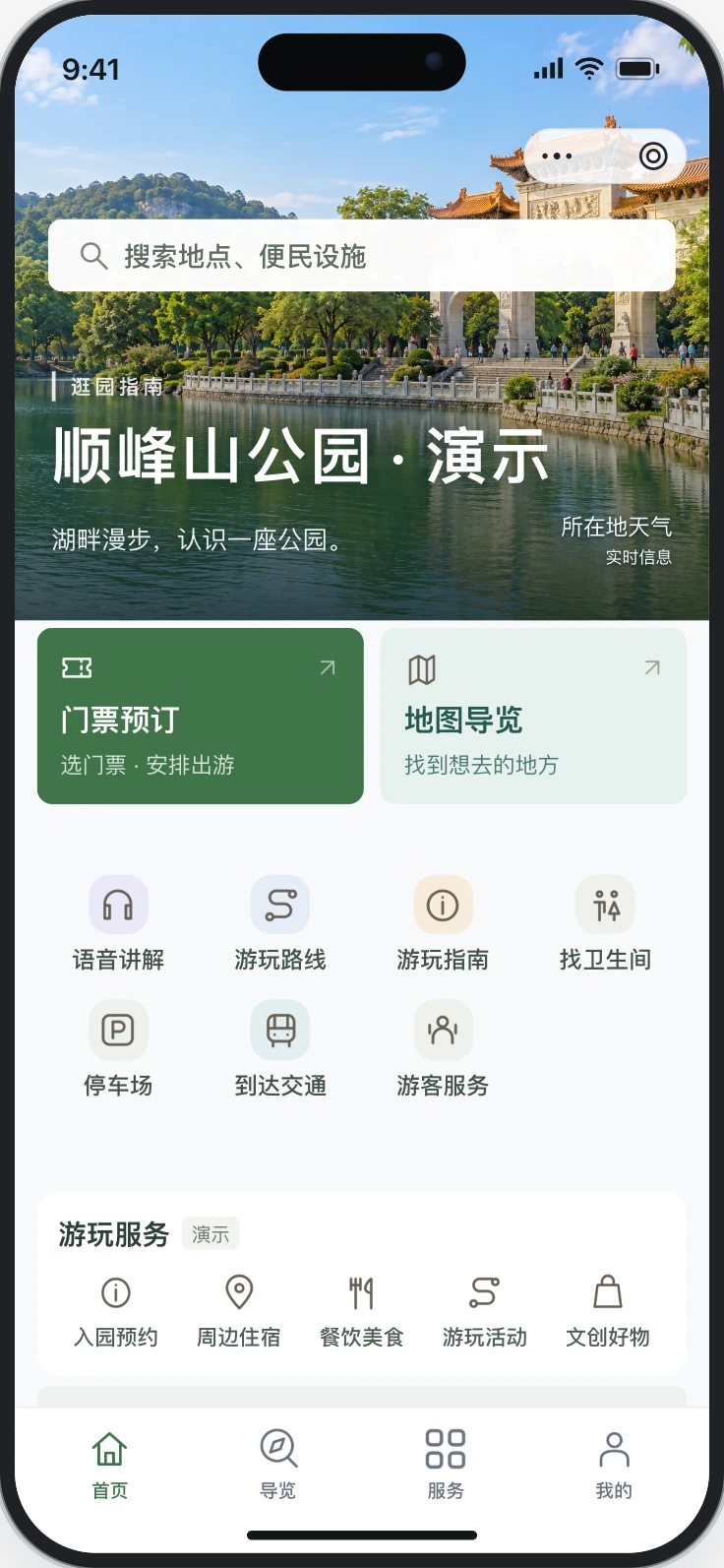
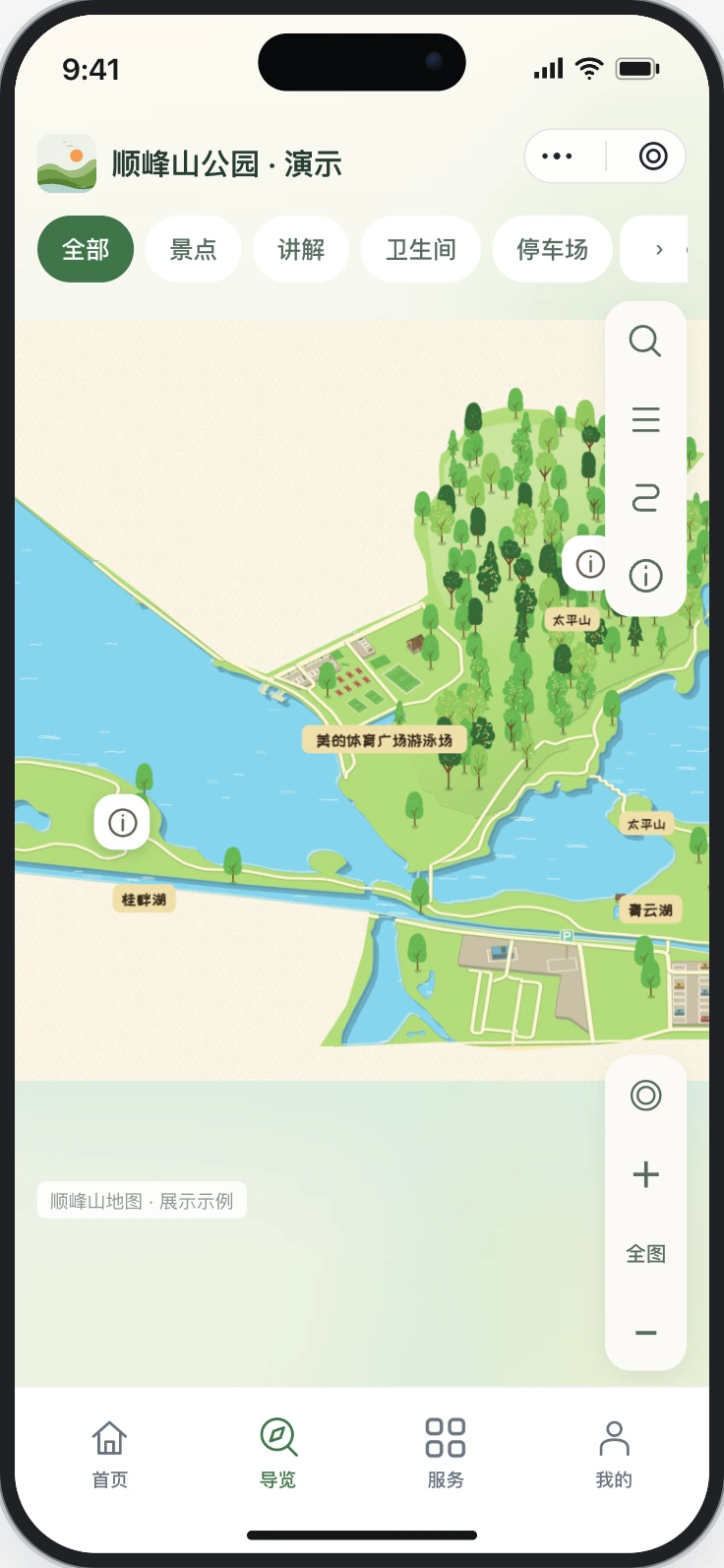
01 / For visitors
Browse place descriptions, find attractions and facilities on an illustrated map, listen to audio and view suggested routes.
Mini program guide coming soon. Shunfengshan is a demonstration scene with AI imagery, not an official venue guide.
HOW WE WORK
Confirm the area and intended output, including map creation, content display and device configuration.
Prepare place lists, landmark references and brand materials. Check sources and usage rights.
Arrange elements, labels, themes and layouts in the studio, adding content for the intended use.
Review the map before export. For smart guide, separately confirm modules, accounts, publishing and devices.
DISCUSS MAPS & GUIDES
Explore the map studio first. If you need a mini program or display, contact us to discuss features and configuration.
This website introduces illustrated map creation and smart guide. Map, scene and interface examples demonstrate features or layouts; they do not represent official venue guides, authorised partnerships or client deliveries. AI imagery is illustrative and demo statistics do not represent actual visitor traffic or business results.
Review map content and suitability before use. Check platform features, export formats, quotas, pricing and validity before using or ordering. Smart guide modules, mini program publishing and device compatibility require separate confirmation. Specify agreed terms in the order or delivery documents.