YUNJING SHANHE · SOLUTIONS / GUIDE
Guide content for phones,
touchscreens and operations.
Explore mini program, monitoring and interactive map interfaces. The mini program guide is coming soon; view examples and discuss configuration.
RELATED PRODUCT / SMART GUIDE
On your phone. On site.
In the operations room.
Mini program, monitoring and interactive displays.
Different interfaces for different tasks.
Mini program guide coming soon
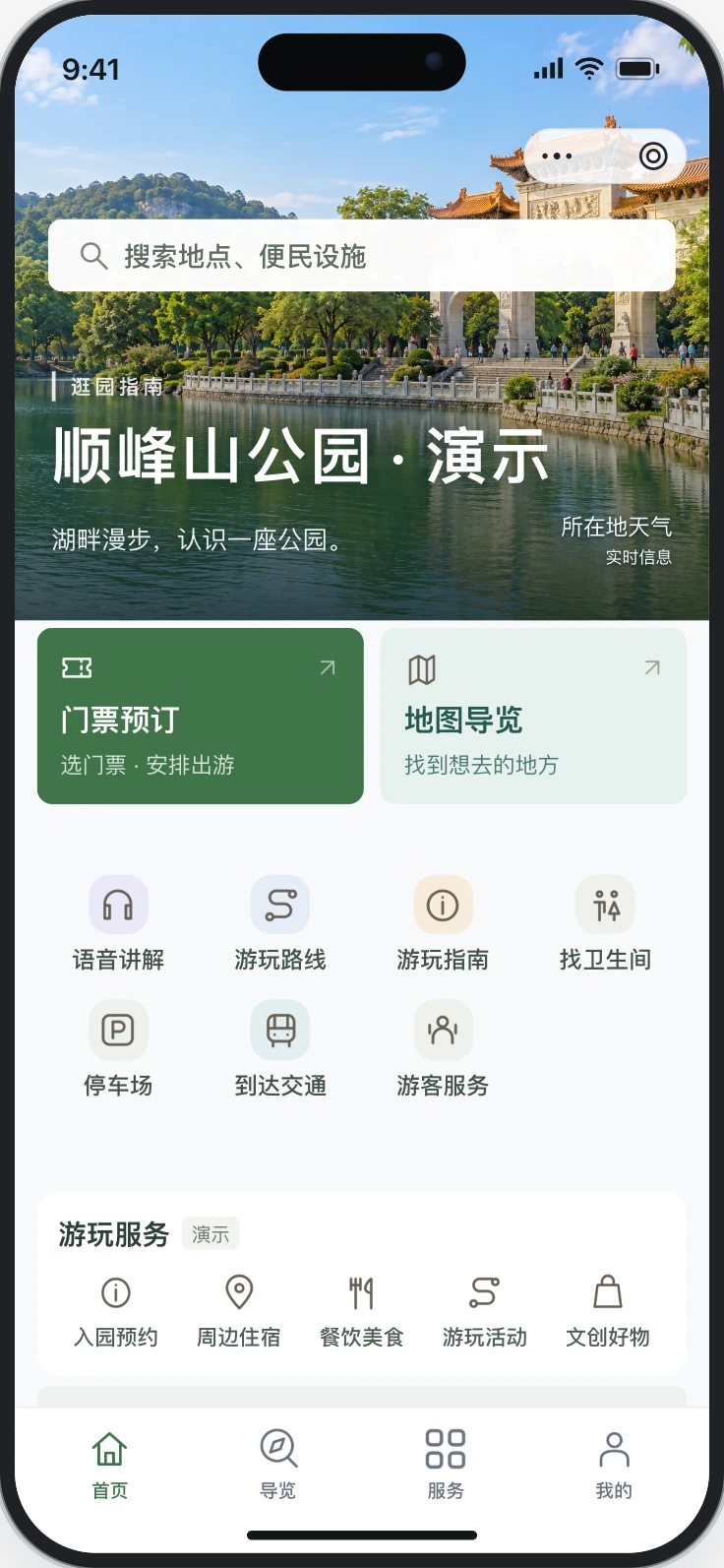
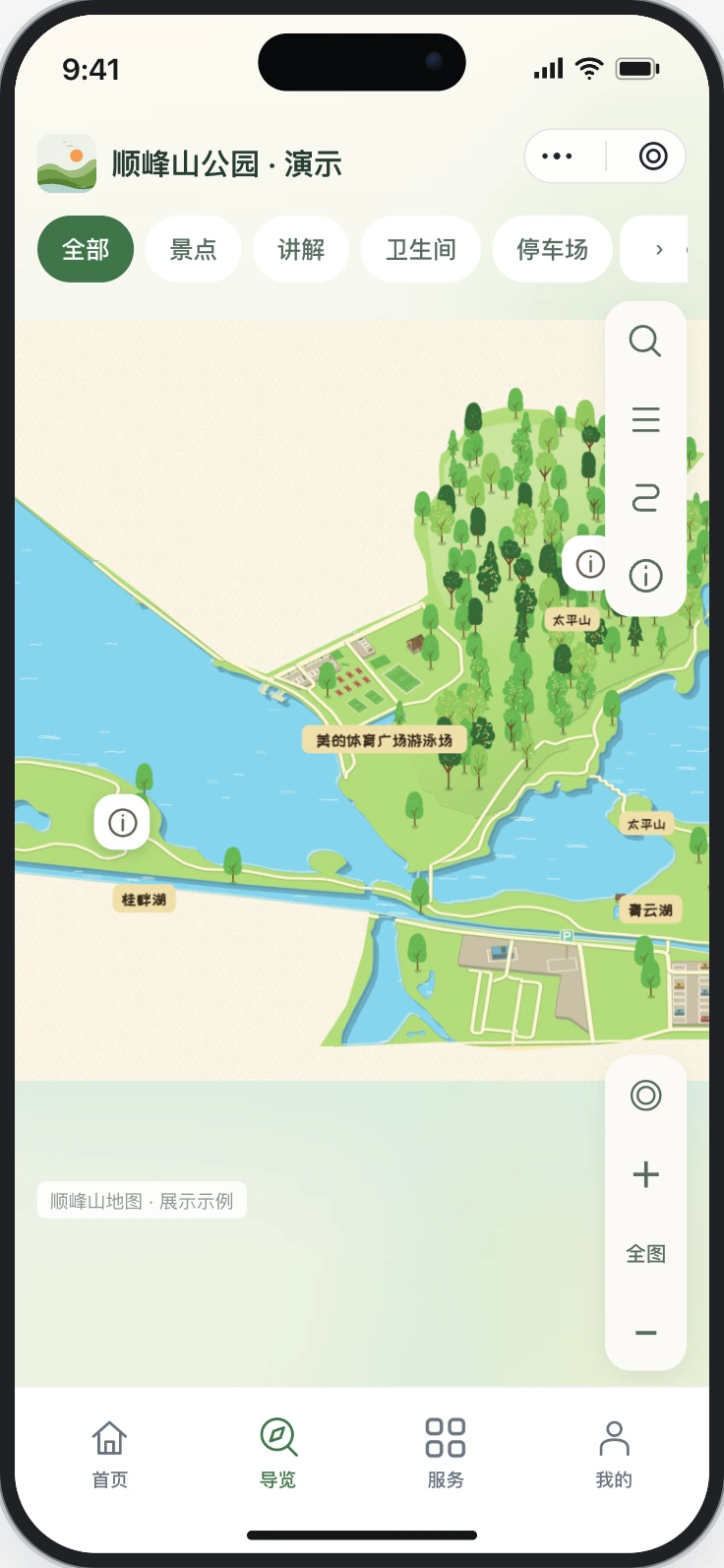
01 / For visitors
Explore the next stop on your phone.
Browse place descriptions, find attractions and facilities on an illustrated map, listen to audio and view suggested routes.
- Illustrated map browsing
- Place descriptions and audio
- Suggested routes
- Visitor facilities
Mini program guide coming soon. Shunfengshan is a demonstration scene with AI imagery, not an official venue guide.
MINI PROGRAM EXAMPLES
Different places.
Different guide layouts.
Three examples for parks, attractions and streets.
Open a preview, or see more layouts on the examples page.
Mini program guide coming soon
More mini program examples →Layout examples with AI imagery and demonstration places and routes. These are not client projects or live venue services. Confirm the layout and modules before selection.
APPLICATION SCENARIOS
Plan around the place.
Scenic areas
Organise attractions, entrances and visitor facilities for printed maps and mobile browsing.
Explore this scenario →02Parks and wetlands
Arrange lakes, woodland, paths and facilities in an illustrated park map for visitors to browse.
Explore this scenario →03Old towns and villages
Present streets, heritage landmarks and visitor services in an illustrated map of a town or village.
Explore this scenario →04Campuses and parks
Bring buildings, entrances, parking and services together for first-time visitors.
Explore this scenario →05Campsites and resorts
Show accommodation, food, activity areas and public facilities, with mobile information for use after arrival.
Explore this scenario →Before choosing a configuration
How do maps and smart guide fit together?
The studio prepares map content. Smart guide presents place information through a mini program, interactive displays or a monitoring dashboard. Confirm the required modules separately.
Are the screenshots client results?
No. They show test or demonstration interfaces. AI imagery, routes and statistics are examples, not evidence of venue partnerships, visitor traffic or business performance.
What needs to be confirmed before launch?
Confirm module scope, accounts, the customer’s independent WeChat AppID and publishing requirements. Software, hardware, installation and device compatibility should be specified for the project.
DISCUSS MAPS & GUIDES
From map creation
to guide content.
Explore the map studio first. If you need a mini program or display, contact us to discuss features and configuration.
About products and examples
This website introduces illustrated map creation and smart guide. Map, scene and interface examples demonstrate features or layouts; they do not represent official venue guides, authorised partnerships or client deliveries. AI imagery is illustrative and demo statistics do not represent actual visitor traffic or business results.
Review map content and suitability before use. Check platform features, export formats, quotas, pricing and validity before using or ordering. Smart guide modules, mini program publishing and device compatibility require separate confirmation. Specify agreed terms in the order or delivery documents.